updated 2026-11-26·6 min read
Systems & Performance Engineering
How Noether keeps large vaults responsive via a 3-tier save pipeline, metadata-only cold boot, O(1) tree bucketing, GlobalModalHost isolation, view suspension, and Windows working-set trimming.
Desktop note apps stall when they do three things on the UI thread: flushing files on every keystroke, reading every note body on cold boot, and letting background animations or physics loops spin while minimized. Noether avoids all three so vaults with thousands of notes stay under 150 MB of RAM at idle and don’t stutter while you type.
1. Save Pipeline
Serializing Markdown ASTs and committing SQLite transactions on every keystroke drops frames fast, so typing never touches disk directly:
- In-Memory Mutation (Instant): Keystrokes mutate the in-memory document state immediately. No disk operations or database queries run while you are actively typing.
- Debounced Disk Write & Index Sync (400ms): When you stop typing for 400ms (extended to 800ms while typing events continue), the editor serializes the active note to CommonMark, writes to
<note>.tmp.<pid>, performs an atomic rename tonote.md, and updates SQLite. - Idle Secondary Indexing (1200ms): Vault-wide unlinked mention scanning and broken embed validation wait on a 1200ms idle timer (
scheduleIdleSecondaryIndexing) so heavy checks never interrupt typing.
2. Cold Boot & Startup IPC Streaming
When opening a large vault, reading every single note off disk and sending it across the Tauri IPC bridge causes significant startup lag.
Noether splits startup into two stages:
- Metadata-Only Boot: On launch, the backend only queries note headers (
id,title,path,parent_id,mtime,is_folder). This payload is small and loads in a few milliseconds. - On-Demand Note Bodies: The full content of a note is read from disk only when you actually click or switch to that tab. Notes you haven’t opened yet consume zero memory in the UI.
3. SQLite Relational Cache & WAL Mode
Instead of running SQLite inside WebAssembly (which requires exporting the entire database to a binary blob on save), Noether compiles rusqlite directly into the native Rust desktop binary.
Key database configurations include:
- Write-Ahead Logging (
PRAGMA journal_mode = WAL;): Reads and writes never block each other. Background indexing never stalls active search queries. - Memory-Mapped I/O (
PRAGMA mmap_size = 268435456;): 256MB of the database file is mapped directly into memory, allowing the operating system to handle page caching with zero user-space copying. - FTS5 Full-Text Search: Search queries run against the
blocks_ftsinverted full-text index rather than executing unindexedLIKE '%query%'wildcard scans across every file.
4. Virtual DOM & Hook Isolation
Conditional Dialog Mounting (GlobalModalHost)
Keeping the Command Palette, Settings, Vault Switcher, and confirmation dialogs mounted while hidden leaves their Zustand subscriptions and hooks firing on unrelated store updates. GlobalModalHost renders each dialog only while its visibility flag is true, so closed overlays hold zero DOM nodes and run zero hooks.
GlobalModalHost conditional mounting (TSX)
const GlobalModalHost: React.FC = React.memo(() => {
  const isCommandPaletteOpen = useWorkspaceStore((s) => s.isCommandPaletteOpen);
  const isSettingsOpen = useWorkspaceStore((s) => s.isSettingsOpen);
  const isVaultModalOpen = useWorkspaceStore((s) => s.isVaultModalOpen);
  const isHelpModalOpen = useWorkspaceStore((s) => s.isHelpModalOpen);
  const isConfirmOpen = useWorkspaceStore((s) => Boolean(s.confirmDialog?.isOpen));
  const isPromptOpen = useWorkspaceStore((s) => Boolean(s.inputDialog?.isOpen));
  const isLightboxOpen = useWorkspaceStore((s) => Boolean(s.imageLightbox?.isOpen));
  const isUpdateModalOpen = useWorkspaceStore((s) => s.isUpdateModalOpen);

  return (
    <React.Suspense fallback={null}>
      {isCommandPaletteOpen && <CommandPalette />}
      <DynamicModalHost />
      {isSettingsOpen && <SettingsModal />}
      {isVaultModalOpen && <VaultModal />}
      {isHelpModalOpen && <HelpModal />}
      {isConfirmOpen && <ConfirmModal />}
      {isPromptOpen && <PromptModal />}
      {isLightboxOpen && <ImageLightboxModal />}
      {isUpdateModalOpen && <UpdateModal />}
    </React.Suspense>
  );
});
File Tree Child Bucketing
Iterating over an entire vault’s file list to find the children of each folder has O(N * F) complexity (where N is notes and F is folders). In a large vault, that means hundreds of thousands of comparisons on every tree render.
The sidebar groups documents into a parent-keyed Map<string | null, DocumentItem[]> once at the root:
const childrenMap = useMemo(() => {
  const map = new Map<string | null, DocumentItem[]>();
  for (const d of documents) {
    const p = d.parent_id || null;
    const list = map.get(p);
    if (list) {
      list.push(d);
    } else {
      map.set(p, [d]);
    }
  }
  return map;
}, [documents]);
Each folder node performs a single O(1) map lookup (childrenMap.get(folderId)) to retrieve its immediate children.
5. View Suspension & Idle Background Throttling
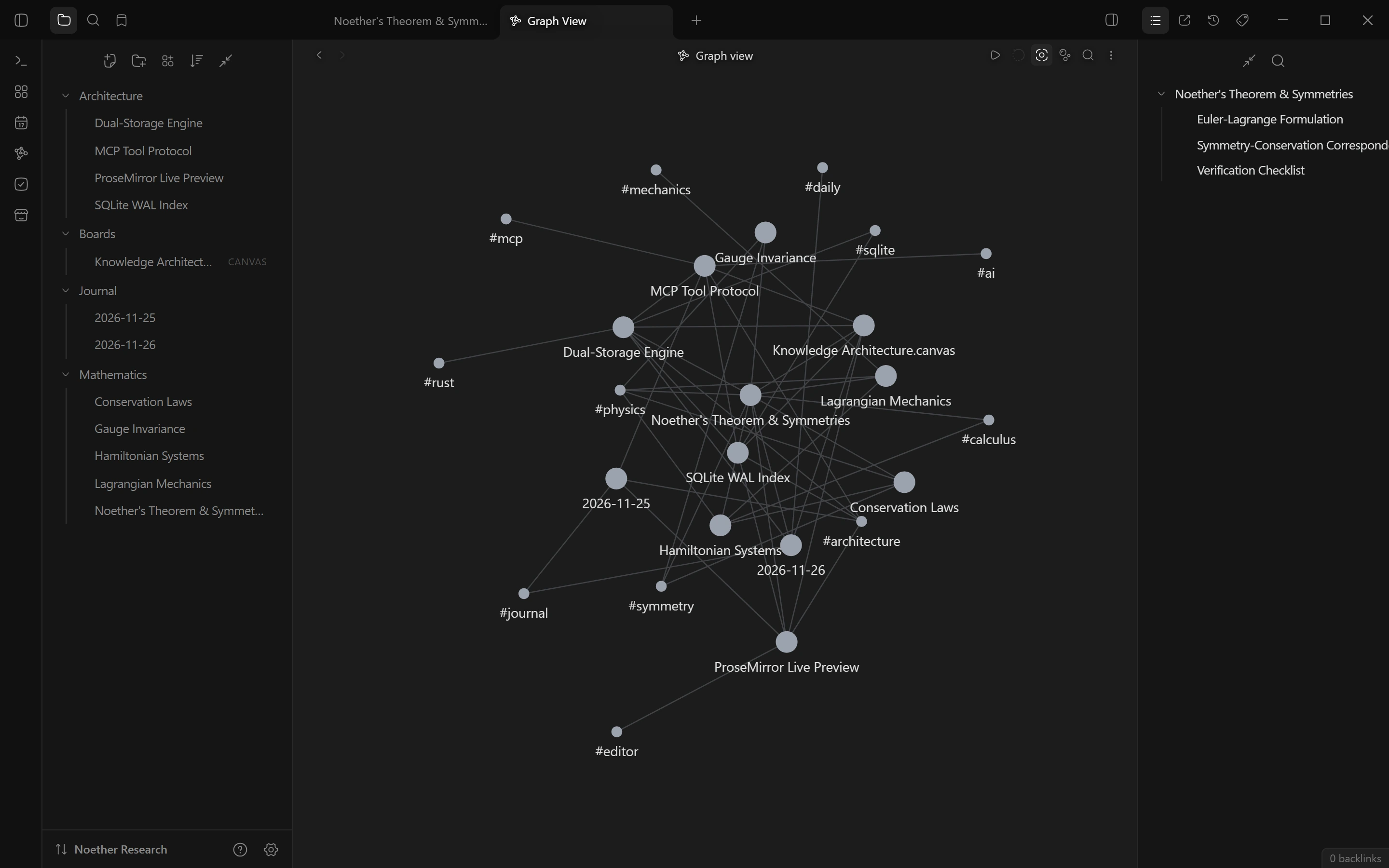
An Electron Markdown app sitting at 600 MB to 1.5 GB of RAM at idle is absurd, and leaving the 2D force-directed Graph View or infinite Canvas ticking when minimized burns battery for nothing. Instead of scattering ad-hoc timers across components, background throttling runs through one shared hook:
- Unified
useViewSuspensionHook: Monitors 5 distinct lifecycle channels simultaneously (Tauri native window minimize, document visibility, OS blur and focus viadocument.hasFocus(),IntersectionObserverviewport culling, and workspace pane switching). - GPU Containment & Paint Isolation: Suspended containers receive
contain: content, instructing Chromium to skip reflow and repaint passes while preserving the static rasterized backing store required for crisp Windows DWM taskbar hover previews. - Global CSS Animation Freezing: When the app is minimized or backgrounded,
data-app-suspended="true"pauses all CSS keyframe animations (animation-play-state: paused !important), eliminating compositor thread wakeups. - Single-Click Window Activation: Mouse hit-testing remains active so clicking an unfocused window immediately activates and registers the clicked target without needing an extra focus click.
- Background Sync Throttling: The sync engine skips periodic background polling cycles while the window is hidden, triggering an instant catch-up sync the moment the window is restored.
6. Windows Memory Management
Even on WebView2, Chromium processes hang onto working-set pages long after cold-boot vault scans or FTS5 indexing finish, so Noether trims memory in two stages:
- Instant Minimize Reclamation: Minimizing the window calls
SetProcessWorkingSetSize(GetCurrentProcess(), usize::MAX, usize::MAX)from Rust, flushing unreferenced working-set pages to the OS standby pool. - Debounced 5-Second Idle Reclamation: Losing focus or hiding the window starts a 5-second (
5000ms) timer (scheduleTrimMemoryinplatformAdapter.ts) before trimming. If you Alt-Tab right back within 5 seconds,cancelTrimMemorycancels it to avoid paging churn.