updated 2026-11-26·1 min read
Outline
Interactive clickable table of contents in the right sidebar with heading folding, active scroll tracking, and real-time updates.
Navigate long notes from a live, clickable heading tree in the right sidebar.
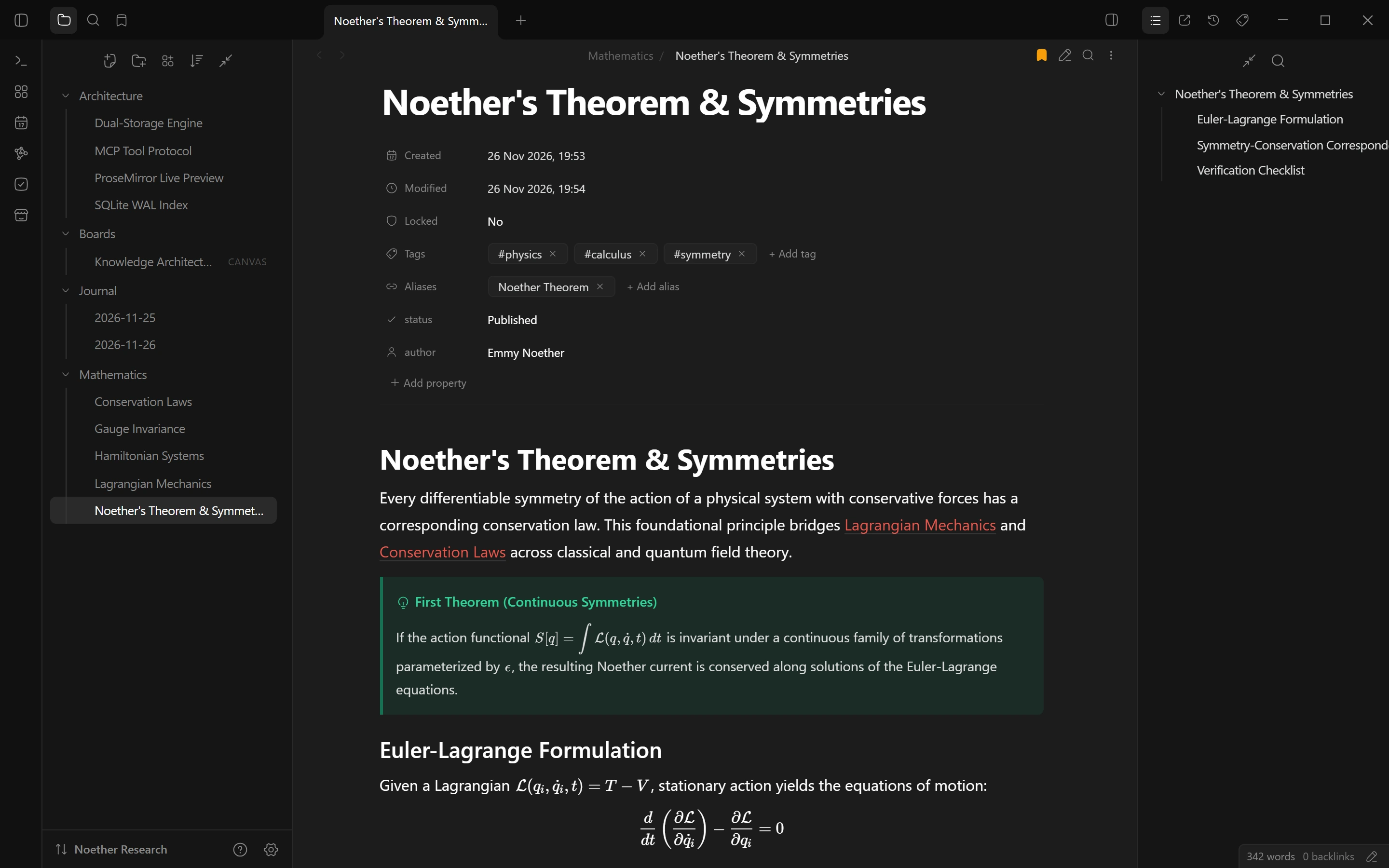
Using the Outline
Click the outline list icon in the right sidebar rail (or press Ctrl+Alt+\ to toggle the right sidebar) to see the active note’s heading tree:
- Jump to Section: Click any heading to scroll the editor straight there.
- Fold Sub-sections: Click the chevron beside
H1orH2headings to collapse or expand nested levels. - Scroll Tracking: Highlights whichever section you’re reading as you scroll.
- Live Updates: Editing or reordering headings updates the outline right away, and exposes the structure to MCP via
outline_get_headings.