updated 2026-11-26·2 min read
Canvas
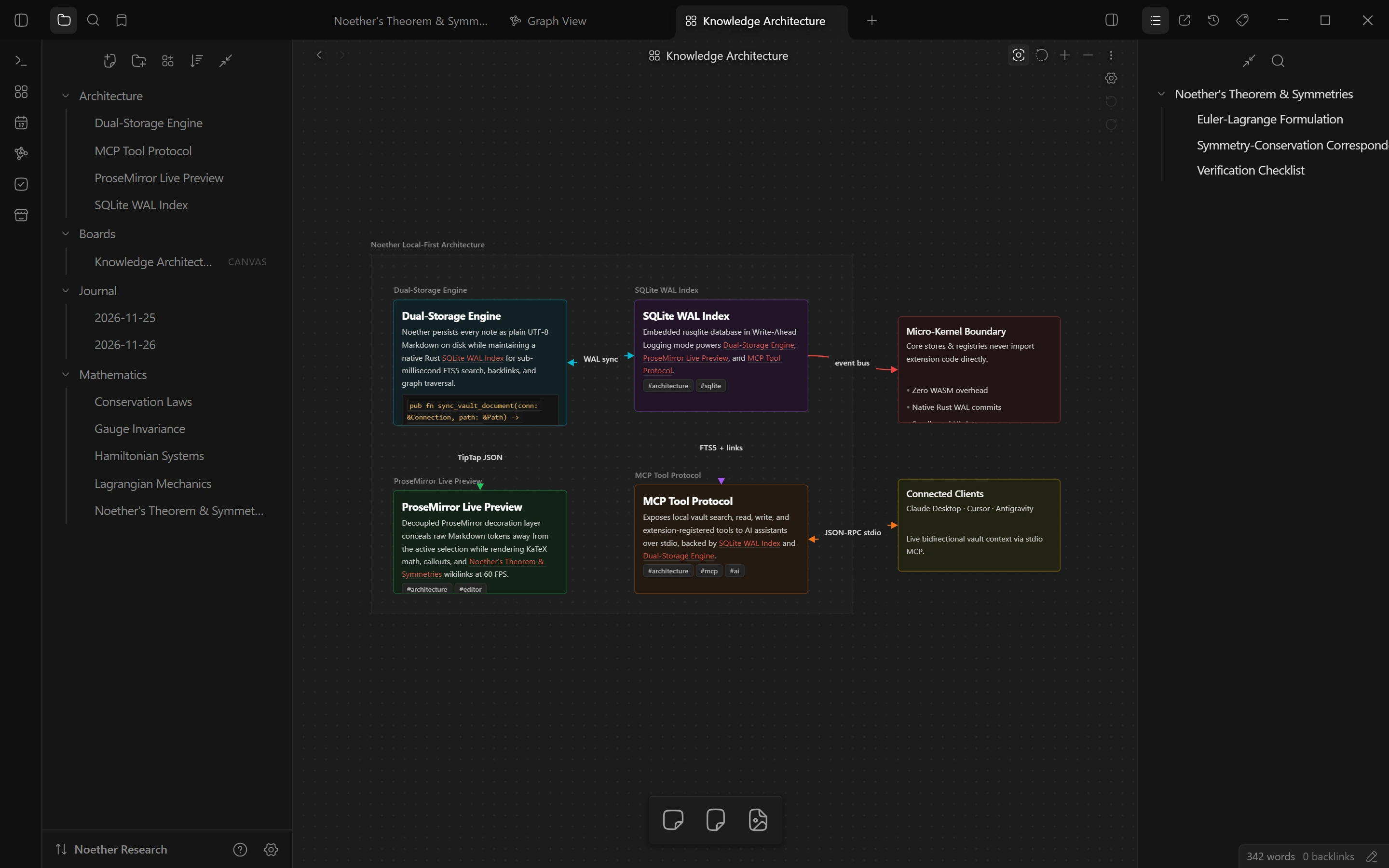
Infinite 2D spatial whiteboard for live Markdown note cards, sticky blocks, nested group containers, and bendable Bezier connectors.
Sometimes linear Markdown isn’t the right shape for an architecture diagram or a messy brainstorm. Canvas gives you an infinite 2D board for live .md note cards, sticky blocks, nested groups, and bendable connectors.
Canvas Basics
Canvases are stored as .canvas JSON files inside your vault and indexed in SQLite (ext_canvas_nodes / ext_canvas_edges). Create a board from the Action Rail, Ctrl+K → New spatial canvas, or Ctrl+Shift+C:
- Live Note Cards: Drag any
.mdfile from the file tree onto the canvas (or pressAlt+2) to render a live, editable note preview that syncs directly to disk. Double-click the card header to open the note in a split editor. - Sticky Text Cards: Double-click anywhere on the grid (or press
Alt+1) to create a free-form sticky card with Markdown support. - Nested Group Containers: Select multiple cards and press
Ctrl+Gto wrap them in a colored, titled container. Groups support nested hierarchies where moving a parent moves all children together. PressCtrl+Shift+Gto ungroup without deleting cards, orDelete/Backspaceto remove the group and its contents. - Bendable Connectors & Labels: Drag from card edge handles to draw Bezier curve, orthogonal step, or straight edges. Hold
Shiftand drag along an edge (or drag its midpoint handle) to bend curves or reposition step segments; double-click the midpoint or choose Reset curve bend to reset. Double-click any arrow to add a label (e.g.depends on,next step).
Navigation & Shortcuts
- Pan: Hold
SpacebarorCtrland drag, or middle-click drag. - Zoom & Fit:
Ctrl + Mouse Wheelzooms toward your cursor. PressCtrl+0for100%orShift+1to fit all cards into view. - Duplicate & Resize: Press
Ctrl+Dto duplicate selected cards. Drag handles to resize; holdShiftto scale proportionally from the center. Use snap-to-grid for alignment.